The Truth About the Vistaprint Ai Logo Maker: Pros, Cons, and Verdict
Introduction
The rise of artificial intelligence in creative workflows has changed how businesses approach branding. For many small-business owners, solopreneurs, and event organizers, the promise is simple: fast, affordable logos without hiring a designer. The Vistaprint Ai Logo Maker is one of the better-known options positioned at the intersection of e-commerce printing and automated design. This article examines what the product does well, where it falls short, and whether it is a smart choice for different types of buyers. It focuses on real-world use cases, common buyer priorities (cost, speed, uniqueness, legal clarity), and practical tips for getting the most from the tool.
What the Vistaprint Ai Logo Maker Is — and Is Not
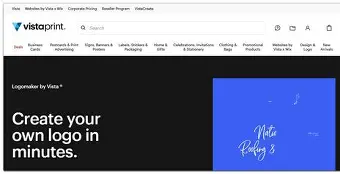
The Vistaprint Ai Logo Maker is a web-based tool that guides users through creating a logo with the help of AI-generated concepts and templates. It is designed primarily for people who want a quick brand mark without the time and expense of working with a designer. It usually combines a short questionnaire or prompt input (industry, style, keywords) with an array of icons, fonts, and layout suggestions to generate options that can be refined in a browser-based editor.
What it is not: it is not a bespoke design agency, and it does not guarantee completely original, bespoke visual identities created with full strategic brand thinking. Users should treat it as a creative accelerator rather than a complete replacement for professional brand strategy when long-term brand value is on the line.
Detailed Product Review and Analysis
User experience and workflow
The typical workflow begins with answering a few questions about the business, choosing preferred visual styles (modern, vintage, minimalist, etc.), and entering a company name and optional tagline. The AI then generates multiple logo concepts. The user can browse, pick a concept, and enter the editor to make adjustments — change colors, swap icons, test fonts, and tweak layout.
For buyers who value speed, this experience is compelling: concepts are produced in seconds and the editor offers an intuitive drag-and-click experience. The interface is designed for non-designers, with clear controls for color palettes, typography presets, and simple alignment tools.
Design quality and variety
Quality tends to be variable, as with most template-plus-AI solutions. Many outputs are polished and suitable for web, social media, or low-stakes branding. The generator often excels at creating clean, legible marks for industries that favor simple visual metaphors (coffee shops, consultants, local services). However, when a brand requires a memorable, highly original symbol or a deeply thought-out visual system, the results can feel generic or derivative.
Variety is a strong point: the tool rapidly produces dozens of distinct directions, which is useful for exploring options. Users can combine elements from several concepts to craft a more tailored result, though such compositing remains constrained by the editor's capabilities.
File formats, scalability, and practical outputs
Most buyers care deeply about file quality and usable formats. The Vistaprint Ai Logo Maker typically provides high-resolution raster exports for digital use and printable files suitable for Vistaprint’s own printing services. Depending on the plan, users often receive vector or scalable assets (SVG, PDF) that are essential for professional printing and sign-making. Prospective buyers should confirm the exact file types included before purchasing or paying for downloads, especially if they need editable source files or a full brand kit.
Customization and brand system considerations
The editor supports basic brand system needs: primary and secondary colors, font pairings, and simplified layout variants (horizontal, stacked, icon-only). It does not typically produce a full brand guideline with usage rules, tone of voice, or comprehensive asset libraries. Users should expect to assemble a more complete system separately if their brand will be used across many touchpoints.
Find top-rated Electronics products at great prices.
Browse Now →Legal and originality concerns
One of the most important considerations is intellectual property. AI-generated suggestions frequently draw from large datasets, which raises questions for buyers who need exclusive, trademarkable marks. Vistaprint and similar platforms usually include terms of service that grant purchasers certain usage rights for downloaded logos, but that is not the same as an assurance of uniqueness or freedom from third-party claims. Anyone planning to trademark a logo should perform a professional clearance search and consider legal advice.
Pricing and value
Value depends on expectations. For a one-off logo for a small side project, social profile, or short-term campaign, the cost-per-design can be very attractive compared with hiring a professional. For businesses that require a long-term, defensible identity, the cost advantage may be offset by limitations in originality and the need for later rework or designer refinement.
Pros & Cons
- Pros
- Fast results: Generates multiple concepts in seconds, useful for quick decision-making.
- Accessible to non-designers: Simple editor and guided workflow lower the learning curve.
- Cost-effective for simple logos: Lower upfront cost than hiring a designer for basic marks.
- Integration with printing services: Convenient for buyers who plan to order business cards, stickers, or other printed materials.
- Variety of styles: Produces a wide range of directions to inspire further refinement.
- Cons
- Originality limits: Generated marks can feel generic or similar to others created with the same tool.
- Legal uncertainty: AI-originated designs may require additional IP clearance for trademarking.
- Limited brand system output: The tool doesn't produce comprehensive brand guidelines or advanced asset sets.
- Editor constraints: Fine adjustments and complex vector edits often require external design tools.
- Potential for over-reliance: Businesses that treat these logos as final without testing in real contexts may discover issues later.
Comparison: Vistaprint Ai Logo Maker vs Other Branding Options
| Option | Typical Cost | Speed | Originality | Customizability | Best For |
|---|---|---|---|---|---|
| Vistaprint Ai Logo Maker | Low to Medium | Very Fast | Low to Medium | Basic to Moderate | Startups on a budget, side projects, event logos, social avatars |
| Freelance Designer | Medium | Variable (days–weeks) | Medium to High | High | Small businesses seeking distinct identities |
| Design Agency | High | Weeks to Months | High | Very High | Established brands, large-scale launches |
| DIY Vector Software (Inkscape/Illustrator) | Low to High (software + learning time) | Variable (learning curve) | High (if skilled) | Very High | Design-literate owners or teams who want full control |
Real-World Use Cases
Small local businesses
A neighborhood bakery, a boutique cleaning service, or a freelance photographer often needs a logo quickly for a new Instagram profile, flyers, or business cards. The Vistaprint Ai Logo Maker speeds up that process and produces a professional-enough mark that can be printed directly on Vistaprint products, making it a practical one-stop solution.
Event branding and temporary projects
Events, pop-ups, or seasonal campaigns benefit from fast turnaround. These projects typically do not require a trademarkable symbol; a distinctive, context-specific mark created with an AI tool is often sufficient and cost-effective.
Early-stage startups testing identity concepts
Founders testing product-market fit sometimes prefer to allocate budget to product development rather than identity. The AI tool enables rapid prototyping of visual directions to use in pitch decks or prototypes. If the startup gains traction, the temporary mark can be refined by a designer later.
Non-designers building basic brand assets
Bloggers, podcasters, and creators often need simple, versatile marks. The tool’s preset templates and social-size exports make it easy to build consistent visuals across platforms without a steep learning curve.
What Buyers Typically Care About — and How the Tool Measures Up
- Exclusivity and trademarking: Buyers who plan to trademark should not assume an AI-generated logo is unique. The tool can be part of the discovery process, but legal clearance is recommended before asserting exclusive rights.
- File availability: Buyers need vector formats (SVG, PDF, EPS) for scaling. Confirm what file types are included at purchase—some platforms bundle vector files with paid plans.
- Print readiness: For business cards, signage, and merchandise, buyers want CMYK outputs or print-ready PDFs. Check whether downloadable files are prepared for professional printing.
- Customizability: The depth of the editor is important for brand cohesion. If advanced kerning, path editing, or bespoke iconation is required, the AI editor may not be sufficient.
- Cost and long-term value: The upfront price is only part of the equation. Consider whether the logo will need rework later and if potential costs of hiring a designer down the line are acceptable.
Buying Guide: How to Decide and How to Use the Tool Well
This section provides practical steps and a checklist for buyers considering an AI logo maker like Vistaprint’s.
Step 1 — Define the logo’s purpose
Decide where the logo will be used most: web, social profiles, packaging, or large-format prints. If the primary use is small digital icons, a simple AI-generated mark might suffice. For wide-format prints or signage, confirm vector assets are available.
Step 2 — Prepare clear input
AI responds to precise guidance. Prepare keywords that describe the brand (values, tone, adjectives), preferred shapes, and color preferences. Provide examples of logos the buyer likes (conceptually) to steer the output style.
Shop the latest Electronics picks on Amazon.
Shop Amazon →Step 3 — Evaluate multiple variations
Generate and review many options. Test how each mark looks at small sizes and in greyscale. A logo that is legible at 48px and still recognizable in one color is more versatile.
Step 4 — Ask about file types and rights
Before finalizing any purchase, verify what formats are included and read the usage rights. If the buyer intends to trademark the design, seek clarity from the provider about ownership and any restrictions in the terms of service.
Step 5 — Test the logo in context
Mock up the logo on business cards, social headers, and product labels. Many mistakes only become visible when the logo is applied to real materials. Use simple mockups to test contrast, legibility, and overall fit with brand messaging.
Step 6 — Consider a follow-up plan
If long-term brand growth is expected, plan a budget for later refinement by a designer. Treat the AI-generated logo as version 1 — a functional starting point rather than the final, permanent identity in many cases.
Checklist Before Purchasing
- Confirm included file formats (SVG, PDF, PNG, EPS).
- Review usage and ownership rights in the terms.
- Test the logo at multiple sizes and in single-color.
- Check print readiness (resolution and color modes).
- Plan for trademark clearance if needed.
- Save multiple variations (horizontal, stacked, icon-only).
Tips to Get Better Results from an AI Logo Tool
- Use specific keywords: industry terms, adjectives, and mood descriptors.
- Pick directional examples rather than vague prompts.
- Limit colors initially — start with a primary and accent; expand later.
- Export high-resolution and vector files immediately after purchase in case the platform’s terms tie usage to the moment of download.
- Combine AI output with human refinement: small tweaks by a freelance designer can significantly lift uniqueness and quality.
Conclusion — Verdict
The Vistaprint Ai Logo Maker is a useful, pragmatic tool for a wide set of buyers: those launching small ventures, organizing events, or needing quick, print-ready visuals. It shines when speed, cost-efficiency, and ease of use are the top priorities. The editor and concept generation can produce clean, usable marks that integrate conveniently with printing services, which is a significant advantage for users who will immediately order physical collateral.
However, it is not a one-size-fits-all solution. Businesses seeking long-term, trademarkable identities or highly original visual systems should approach AI-generated logos with caution. The potential for generic results and legal uncertainty means the tool is best used as an exploratory and practical starting point rather than a final, brand-complete solution. For many buyers the smartest approach is hybrid: use the Vistaprint Ai Logo Maker to iterate quickly and validate visual directions, then invest in professional design and legal clearance for the final identity when the brand becomes a core asset.
Ultimately, the choice depends on goals and risk tolerance. If the priority is speed and budget-friendly convenience for immediate needs, the Vistaprint Ai Logo Maker delivers real value. If exclusivity, deep strategy, and long-term distinctiveness matter most, the AI tool is a helpful step in the design journey, not the final destination.