Spec Battle: Gopro Max 2 vs Insta360 X5 — Is It Worth Upgrading?
Introduction
The mid-2020s action- and 360-camera market is defined by rapid iteration: better stabilization, smarter software, and hardware designs that blur the lines between consumer convenience and professional capabilities. Two headline contenders in this space are the Gopro Max 2 and the Insta360 X5. Both target creators who want immersive footage, reliable stabilization, and fast editing workflows, but they approach the problem with distinct philosophies.
This article compares the two cameras across the practical criteria buyers care about: ergonomics and build, image and video quality, stabilization, audio, battery and endurance, software and workflow, and accessory ecosystems. It also addresses typical real-world use cases — travel, action sports, vlogging, and hybrid pro work — to help determine whether upgrading to one of these models is justified.
What buyers typically care about
- Image quality and frame flexibility — resolution, dynamic range, low-light performance, and the ability to reframe 360 footage.
- Stabilization — how stable footage looks in high-motion scenarios without heavy gimbal setups.
- Workflow and editing — how quickly clips can be imported, auto-stitched, reframed, and exported.
- Durability and usability — waterproofing, mounting options, and one-handed operation.
- Battery life and storage — realistic recording time and how easily users can manage media on the go.
- Accessory ecosystem — mounts, media, and third-party support.
Brief product snapshots
Both the Gopro Max 2 and the Insta360 X5 are designed for users who want either 360 capture or versatile single-lens modes with easy reframing. The GoPro approach emphasizes ruggedness and an integrated action-cam ecosystem; Insta360 emphasizes modularity, computational imaging, and flexible editing tools. Those high-level differences inform how each camera performs in the field.
Design, ergonomics, and build
Durability and handling matter when the camera is on a helmet, bike, or handheld in windy conditions. The GoPro-heritage design favors a compact, mount-first layout with a focus on physical controls and weather resistance. GoPro users will recognize the tactile power/shutter buttons and a design that slots into numerous mounts without adapters.
The Insta360 design philosophy prioritizes adaptability and a slightly more modular feel. Controls are often fewer but supported by a touchscreen UI and app-first operation. Insta360 also tends to emphasize quick-release or modular mounting options that make it easy to switch between 360 rigs and single-lens setups.
Real-world takeaway
For users who value one-handed control and a rugged, mount-ready form factor, the GoPro approach is more plug-and-play. For those who prioritize flexible mounting and software-driven workflows, Insta360’s ergonomics reward planning and app use.
Image quality and capture modes
Both cameras aim to serve two distinct but overlapping audiences: creators who want immersive 360 footage and users who prefer straightforward linear video. The important considerations are sensor responsiveness, color science, and how usable footage is straight out of the camera versus after computational processing.
In practice, GoPro historically tunes for punchy color, reliable highlights handling, and consistent exposure in action scenarios. Insta360 typically invests heavily in processing and computational features that enable advanced reframing, horizon correction, and automatic shot suggestions.
Low light and dynamic range
Low-light capability remains a differentiator. Cameras that rely on smaller sensors tend to struggle in subdued lighting, producing more noise and less latitude for color grading. Insta360 often offsets smaller hardware with strong noise-reduction algorithms; GoPro uses a combination of hardware tuning and exposure management to retain highlight detail during fast-changing scenes.
Real-world takeaway
For raw daytime action and punchy color straight out of camera, GoPro’s tuning tends to be more immediately satisfying. For computational reframing and creative flexibility from 360 captures, Insta360’s software tools often make a bigger difference in final output quality.
Stabilization and motion handling
Stabilization is one of the primary reasons buyers upgrade. Both platforms offer sophisticated stabilization suites designed to make handheld and body-mounted footage look smooth without a gimbal.
GoPro’s stabilization systems focus on delivering steady linear video with features like horizon correction and electronic stabilization that integrate tightly with the camera’s capture modes. Insta360 applies stabilization both to linear crops and to 360 source footage, giving creators the ability to reframe and still retain stabilized motion.
Looking for the best Electronics deals on Amazon?
Shop Amazon →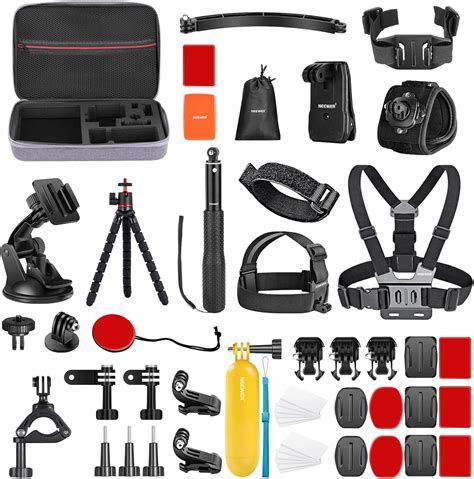
Real-world takeaway
If the priority is single-shot action footage (mount on chest, helmet, or handlebars), GoPro’s stabilization and out-of-camera ready look are strong. If the priority is creative post-production reframing from a 360 master file with robust horizon-lock options, Insta360 is often preferable.
Audio and onboard recording
Onboard audio in action cameras is never a full substitute for an external microphone, but good internal mics reduce the need for secondary audio in casual shoots. GoPro historically provided decent wind rejection and clear speech capture for close-range talking, while also supporting external mic adapters in some models.
Insta360 typically emphasizes multi-directional capture to match the 360 video field — useful if filming a group conversation or environment sound — and pairs well with app-based audio processing.
Real-world takeaway
Neither camera replaces a boom or lav for high-end audio, but for run-and-gun vlogging, the GoPro is often a better out-of-camera performer for voice, while Insta360’s multi-channel capture is useful for immersive ambient sound when shooting 360 scenes.
Battery life, storage, and workflow
Battery life under continuous use — especially when shooting high-resolution or 360 modes — is a limiting factor. Both manufacturers provide battery packs sized for short bursts of action rather than all-day recording without swap-outs.
Storage management matters for 360 footage, where files are larger and require more processing. Insta360 heavily leans on app and desktop stitching and reframing workflows, which can lengthen post-production time but provide creative payoff. GoPro’s ecosystem prioritizes fast offload and quick edits, with companion apps that allow for simple trimming and color adjustments with minimal fuss.
Real-world takeaway
For long shoots where swapping batteries is undesirable, neither camera is ideal without a well-planned kit of spare batteries and fast cards. For creators who want quick edits between sessions, GoPro is often faster; for creators seeking maximum framing flexibility in post, Insta360 requires more processing time but rewards with reframing options.
Software, editing features, and AI tools
Where these cameras differentiate themselves sharply is in software. Insta360’s editing ecosystem has been notable for automated reframing tools, AI shot detection, and intuitive stitching that reduces manual intervention. This makes 360 workflows accessible to creators who want to extract multiple camera angles from a single take.
GoPro’s software emphasizes speed and stability: mobile and desktop editors designed for fast cuts, color presets tuned to the camera’s color science, and simplified export settings aimed at social platforms. GoPro also invests in AI-driven features like automatic highlight reels and scene detection to streamline editing.
Real-world takeaway
Choose Insta360 if post-production flexibility and reframing are central to the creative process; choose GoPro if the priority is fast turnarounds and reliable presets that require minimal adjustment.
Accessory ecosystem and mounting
GoPro benefits from a decades-long accessory ecosystem: adhesive mounts, extendable poles, harnesses, and third-party cages designed specifically for point-of-view shooting. This compatibility makes upgrading or expanding a kit straightforward.
Insta360 offers adapters and modular accessories that favor creative mounting and 360-specific rigs, such as invisible selfie stick options and stabilizer attachments. Insta360’s accessory approach often enables novel shot types (e.g., invisible selfie-stick effects after stitching).
Discover deals on Electronics — updated daily.
View Offers →Real-world takeaway
Users already invested in GoPro accessories will find retrofitting easier. Those starting fresh or prioritizing 360-specific accessories may prefer Insta360’s modern accessory design.
Comparison table
| Category | Gopro Max 2 | Insta360 X5 |
|---|---|---|
| Design & Build | Rugged, mount-focused; easy one-handed controls | Modular, app-forward; flexible mounting options |
| Capture Philosophy | Action-first — strong single-shot linear performance | 360-first — computational reframing and versatility |
| Stabilization | Hardware+software tuned for linear footage | Stabilizes both 360 masters and linear crops |
| Software & Workflow | Fast edits, presets, social-ready exports | Powerful reframing, AI tools, longer processing |
| Audio | Good wind rejection for voice; accessories supported | Omni-directional capture for immersive audio |
| Battery & Storage | Short bursts; easy battery swaps recommended | Large files in 360 modes; plan for higher storage needs |
| Accessory Ecosystem | Vast GoPro-compatible accessories | Modern modular accessories, 360-specific rigs |
| Best for | Action sports, quick vlogs, mount-heavy shoots | Immersive travel, creative reframing, experimental shots |
Pros & Cons
Gopro Max 2 — Pros
- Strong out-of-camera color and exposure for action scenarios
- Robust mounting compatibility and proven accessory ecosystem
- Intuitive physical controls suitable for one-handed operation
- Fast editing workflows and social-ready export presets
- Good stabilization for linear, point-of-view footage
Gopro Max 2 — Cons
- Limited post-production reframing compared with dedicated 360 toolchains
- Battery life can be limiting during long sessions
- Less emphasis on computational creativity (compared with some competitors)
Insta360 X5 — Pros
- Exceptional flexibility through 360 masters and creative reframing
- Advanced computational features and AI tools for post-production
- Modular mounting that enables novel shot types
- Immersive audio capture suited to 360 footage
Insta360 X5 — Cons
- Longer post-production and stitching requirements for best results
- Potential learning curve for app- and desktop-driven workflows
- Large file sizes demand more storage and processing power
Use-case scenarios: who should upgrade?
Travel creators and influencers
Travel content often benefits from reframing and immersive storytelling. If a creator values the ability to publish multiple angles from a single take — a wide establishing shot, a tight crop for social, and an immersive 360 for long-form uploads — Insta360’s approach provides more creative options. However, for quick social posts and simpler day-to-day vlogging, GoPro’s fast workflow and immediate color results are compelling.
Action sports and POV shooters
Those who mount cameras on bikes, helmets, or boards typically prioritize stability, durability, and mounting simplicity. GoPro’s heritage in this space makes it the practical choice for many athletes. Upgrading to a newer GoPro model is often justified if stabilization and low-light exposure management have materially improved compared to an older unit.
Content creators who edit heavily
Editing-centric creators who want maximum flexibility in post will appreciate Insta360’s master-file approach. If workflows are already built around desktop stitching and creative reframing, Insta360’s features may justify an upgrade. Conversely, creators who prefer in-camera presets and fast turnaround may find GoPro’s platform more efficient.
Professionals needing a hybrid solution
Some professional projects require both reliable linear shots and occasional immersive footage. In that case, the decision comes down to workflow priorities and existing gear. A hybrid approach — keeping a GoPro for predictable action shots and adding Insta360 for immersive sequences — remains a sensible strategy for many pros.
Buying guide: how to decide
When weighing an upgrade, buyers should run a short checklist before committing:
- Assess current pain points: Is stabilization the weak link, or is post-production flexibility the bottleneck?
- Match camera strengths to content needs: Choose GoPro for immediate, action-ready footage; choose Insta360 for post-driven creative control.
- Consider the ecosystem: Existing mounts and accessories can sway the decision toward the platform that reduces additional purchases.
- Budget for storage and processing: 360 workflows require faster cards, more storage, and more powerful editing machines.
- Test the software: Trial the companion apps and desktop tools (many companies offer free trials or sample footage) to evaluate whether the editing workflow fits the creator’s time budget.
- Plan for spare batteries and media: Real-world shoots benefit more from a well-prepared kit than marginal hardware improvements.
Questions to ask before upgrading
- Will the upgrade materially reduce editing time or produce noticeably better-looking footage for the target audience?
- Are the new features (advanced stabilization, reframing tools, improved low-light handling) ones that will be used regularly, or are they occasional conveniences?
- Does the current accessory investment align with the new platform, or will there be added cost to match the new camera’s mounting or audio needs?
Practical recommendations
If the decision hinges on whether to prioritize immediate out-of-camera footage or post-production flexibility, the choice becomes clearer: upgrade to GoPro if the goal is dependable, fast production with action-ready stabilization and familiar controls. Upgrade to Insta360 if the aim is to expand creative possibilities through 360 capture and advanced reframing that can repurpose a single recording into multiple deliverables.
For buyers already using recent-generation hardware, incremental upgrades should be justified by demonstrable gains: noticeably better low-light performance, a stabilization leap that removes the need for a gimbal, or software features that save hours in post. If those gains are marginal relative to current workflow, investing in batteries, storage, or learning an advanced editing workflow may yield more immediate returns.
Conclusion
The decision to upgrade to a GoPro Max 2 or an Insta360 X5 depends less on headline specs and more on how the camera will be used in practice. GoPro excels when durability, one-handed operation, and fast social workflows matter. Insta360 shines when post-production reframing, creative flexibility, and immersive experiences are priorities.
Both cameras bring meaningful capabilities to modern creators; the right choice aligns with production habits, accessory investments, and the balance between time spent shooting versus editing. For many creators, the best outcome is a thoughtful combination: use the GoPro-style device for reliable POV action and the Insta360-style device for immersive sequences and creative reframing. In short, upgrading is worth it when the new capabilities solve real, recurring problems in a creator’s workflow — not simply for the sake of new features.